
Loading...
Loading...
Claude Code sub-agents can analyze your CRM codebase and automatically generate user manuals and visual guidebooks. What would take over 2 days of manual work was completed in just 20 minutes. Here's a real-world walkthrough of how it happened.
If you've ever managed a CRM system, you know the struggle: the code is there, but the documentation isn't. You need separate guides for consultants, administrators, and system operators. Writing them means reading through dozens of components and pages — easily a 2-day task.
The bigger problem? Every time the code updates, the docs need to follow. Eventually, documentation drifts from reality, and new team members end up relying on tribal knowledge.
This time, I handed the entire job to Claude Code's sub-agent architecture to see what it could do.
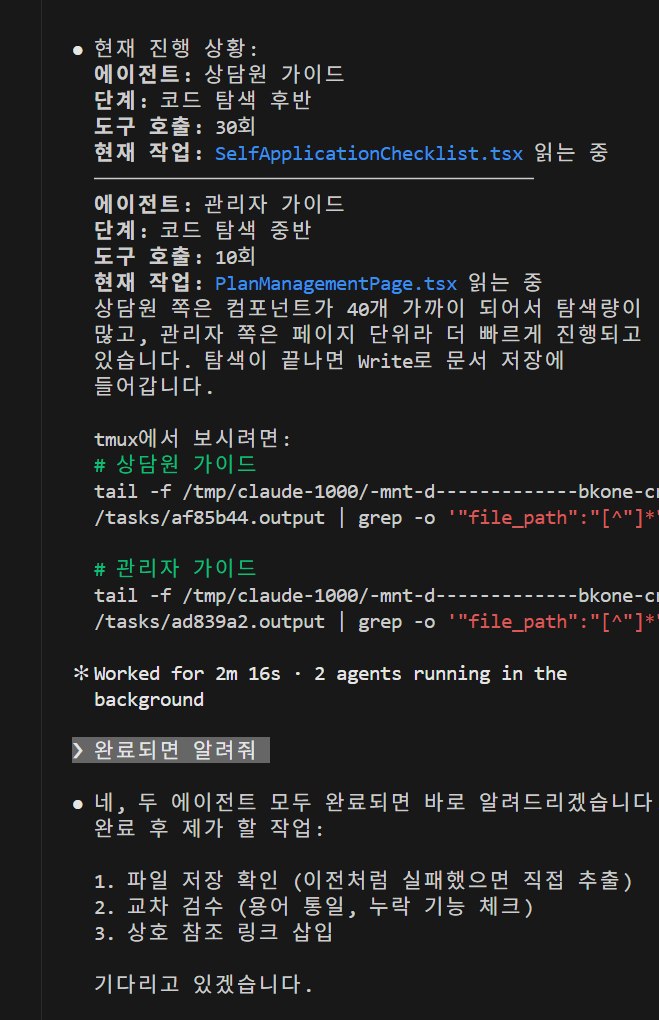
When I asked Claude Code to analyze the CRM codebase and create user manuals, it immediately launched two sub-agents in parallel.
The execution screen above shows real-time progress for both agents:
SelfApplicationChecklist.tsxPlanManagementPage.tsx and related filesThe key insight is that both agents explore the code independently and simultaneously. Sequential execution would have doubled the time. Code exploration finished in just 2 minutes and 16 seconds before document writing began.
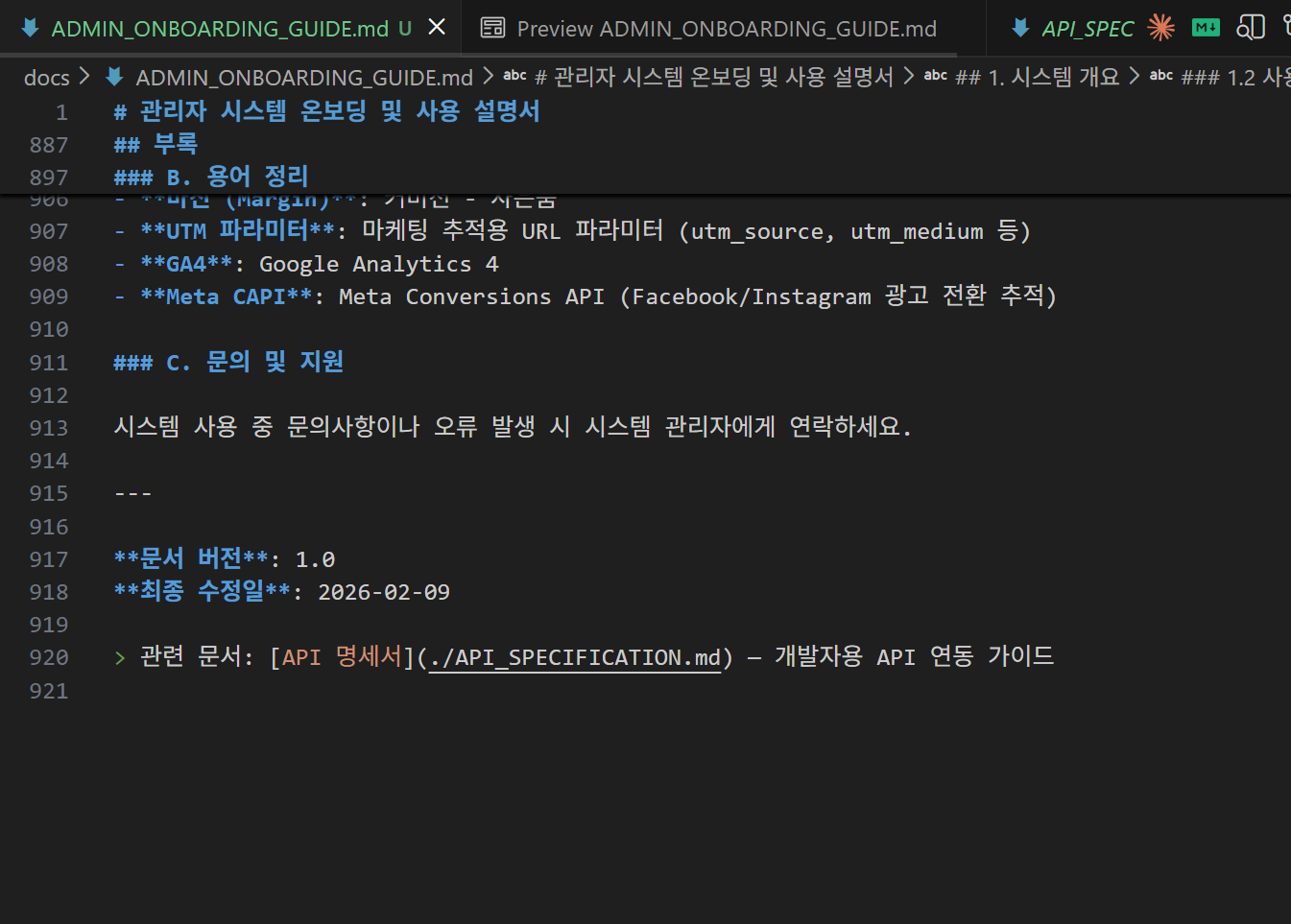
The admin system onboarding guide was fully generated. It extracted marketing tracking features like UTM parameters, GA4, and Meta CAPI directly from the code — complete with a glossary appendix, support section, and cross-references to related documentation.
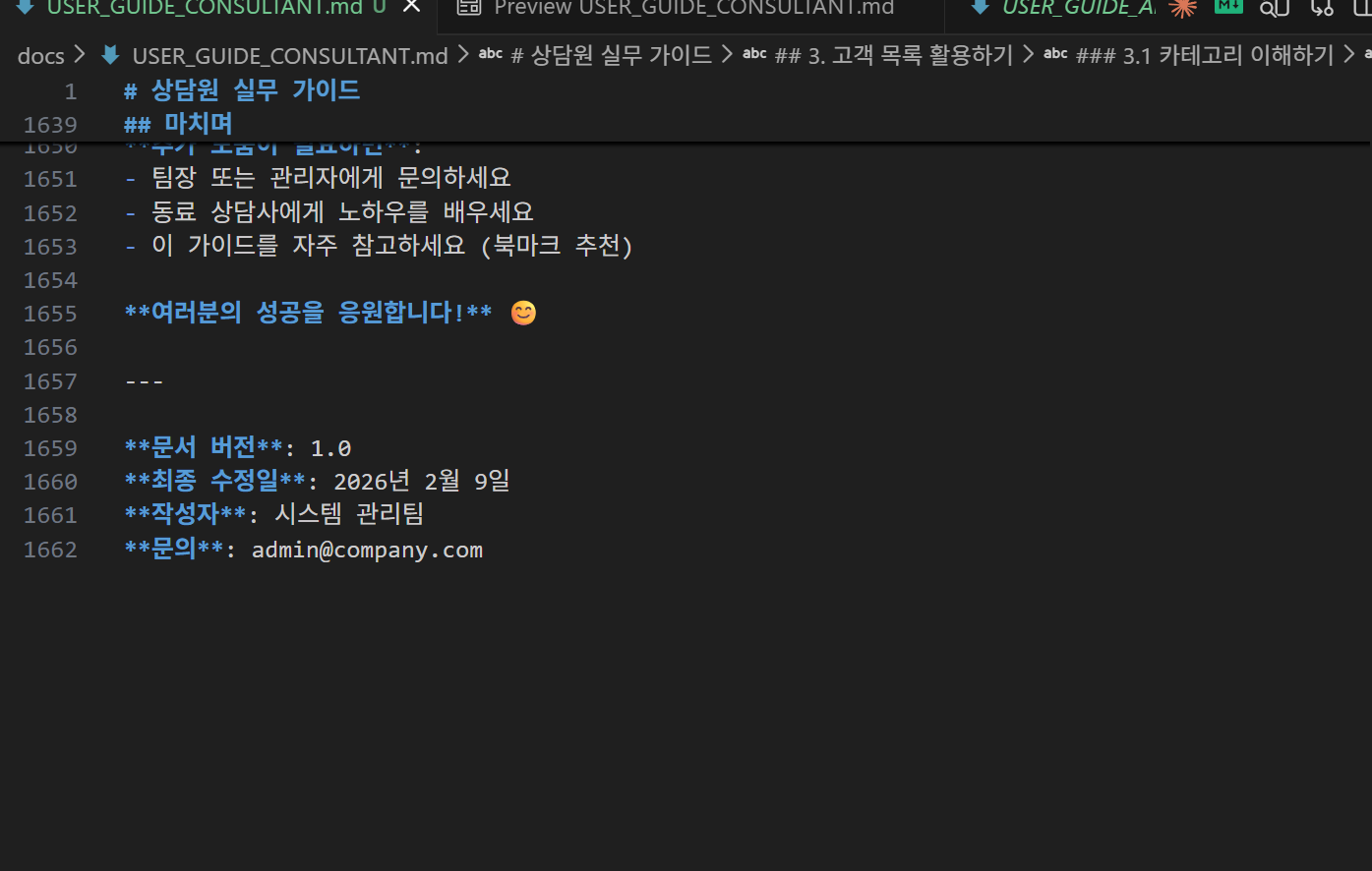
The consultant guide came in at a massive 1,662 lines of markdown. It covers lead list management, consultation panel usage, plan comparison — everything a consultant needs for day-to-day operations.
Because the AI reads and understands the actual code before generating documentation, there's no gap between what the code does and what the docs describe. This is the greatest strength of AI code automation.
Text documentation wasn't enough. I requested visual guidebooks with screenshots. Claude Code immediately formulated a multi-model strategy.
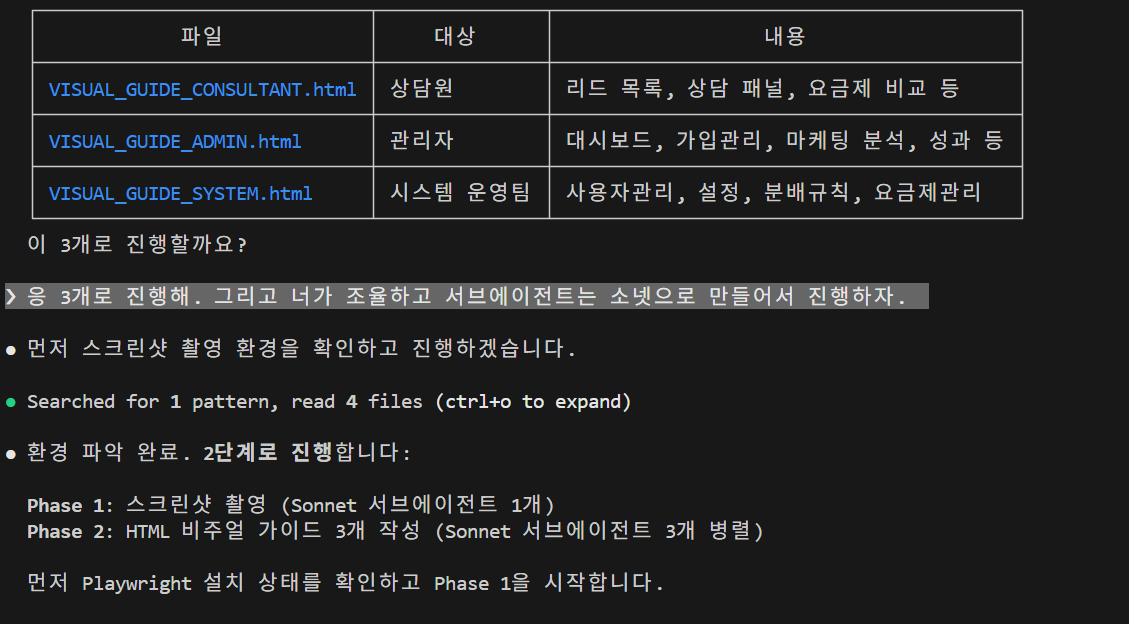
Three visual guides were planned, executed in two phases:
| File | Audience | Coverage |
|---|---|---|
| VISUAL_GUIDE_CONSULTANT.html | Consultants | Lead lists, consultation panels, plan comparison |
| VISUAL_GUIDE_ADMIN.html | Administrators | Dashboard, enrollment management, marketing analytics |
| VISUAL_GUIDE_SYSTEM.html | System Operators | User management, settings, distribution rules |
The remarkable part is how each model's role was automatically assigned:
The main agent (Opus) orchestrated the entire workflow, automatically assigning the right model based on task characteristics. Haiku handled fast image analysis; Sonnet handled content writing and frontend code generation.
The finished visual guides show numbered markers placed at exact positions on actual CRM screenshots captured by Playwright.
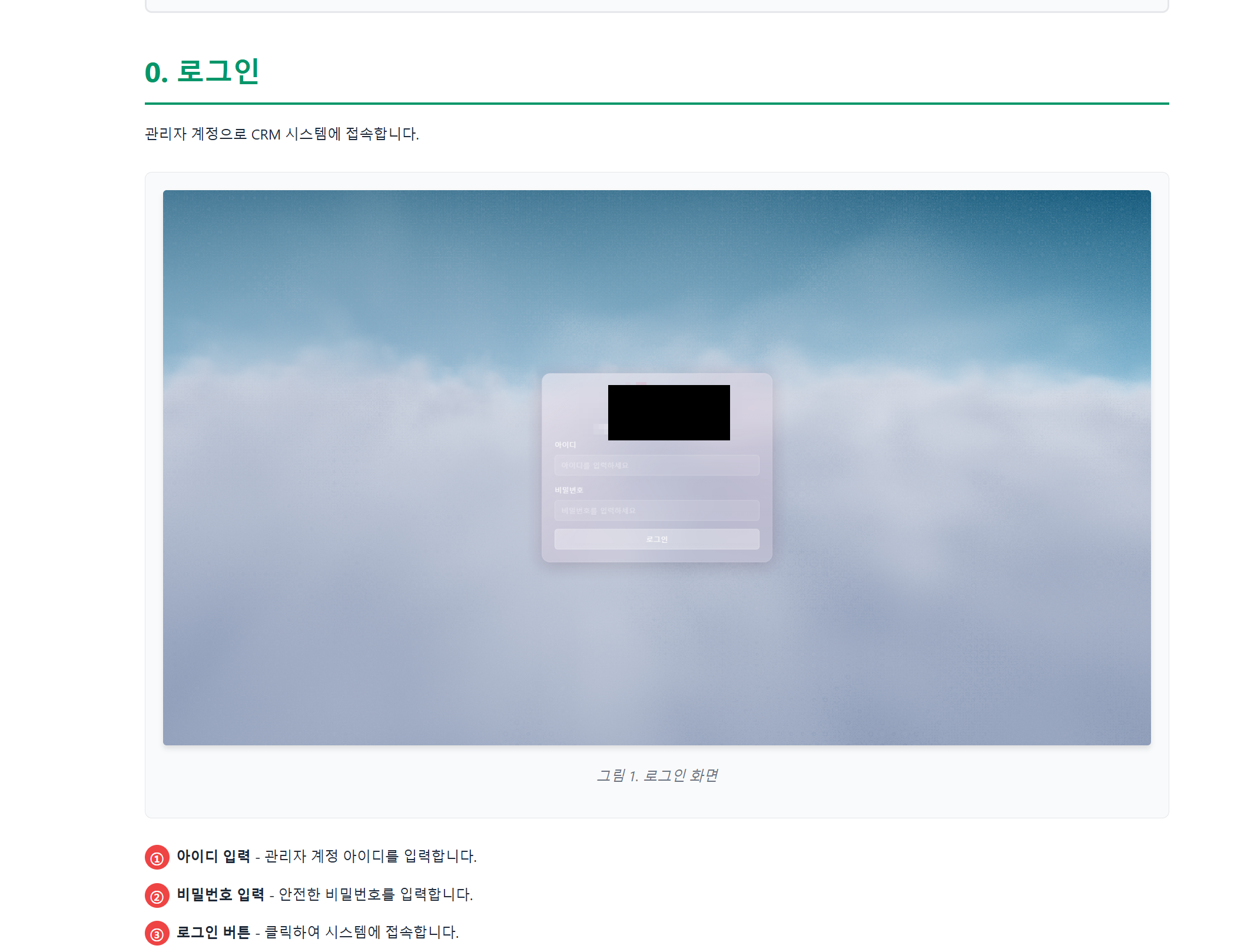
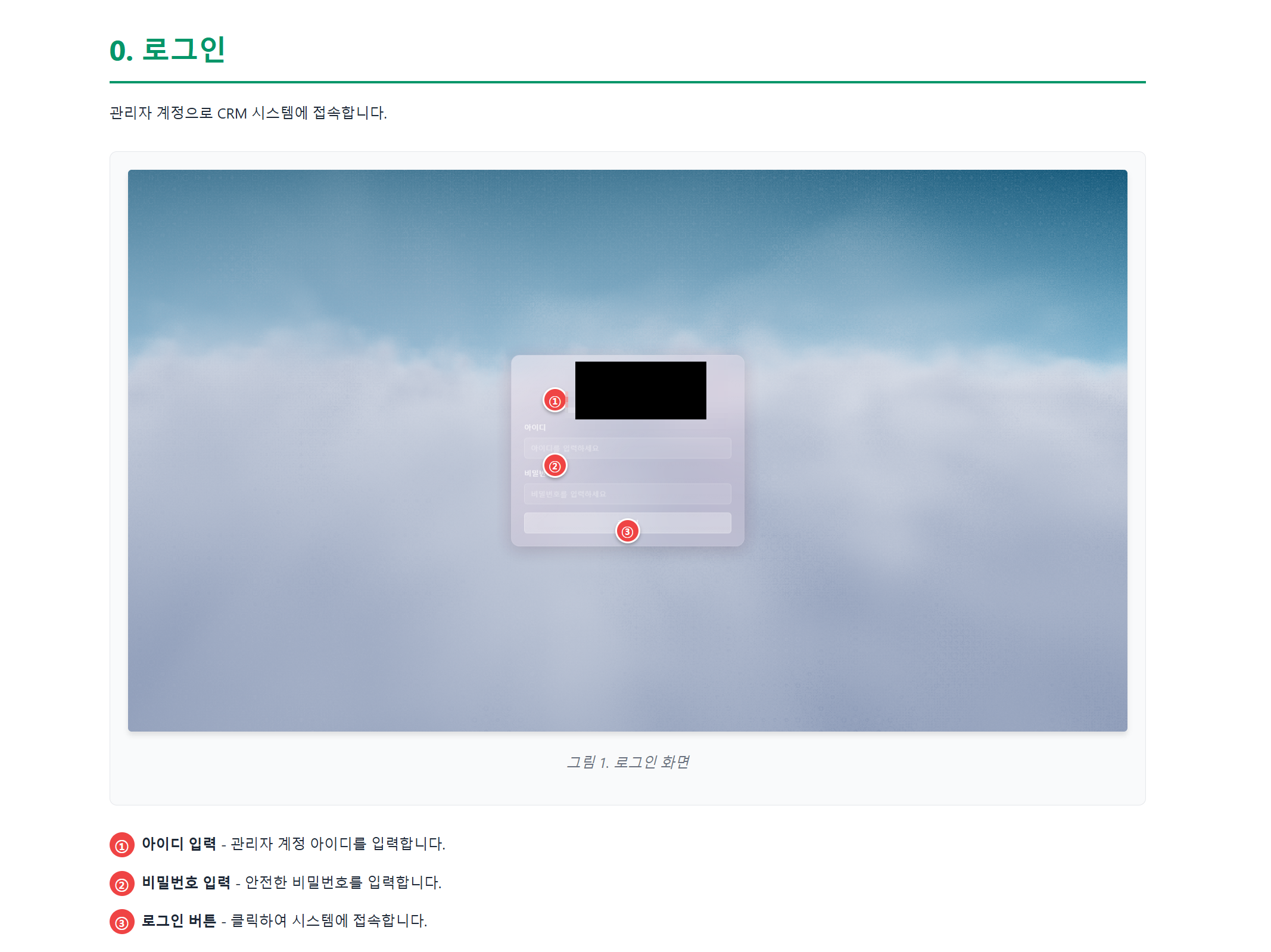
Red numbered markers appear on the screenshots with corresponding descriptions below:
The AI identified exactly where each UI element is located by reading the code alone. The entire process of taking screenshots, adding markers in an image editor, and writing descriptions was fully automated.
Finally, the shadcn UI library was applied to elevate the visual guide's design quality.
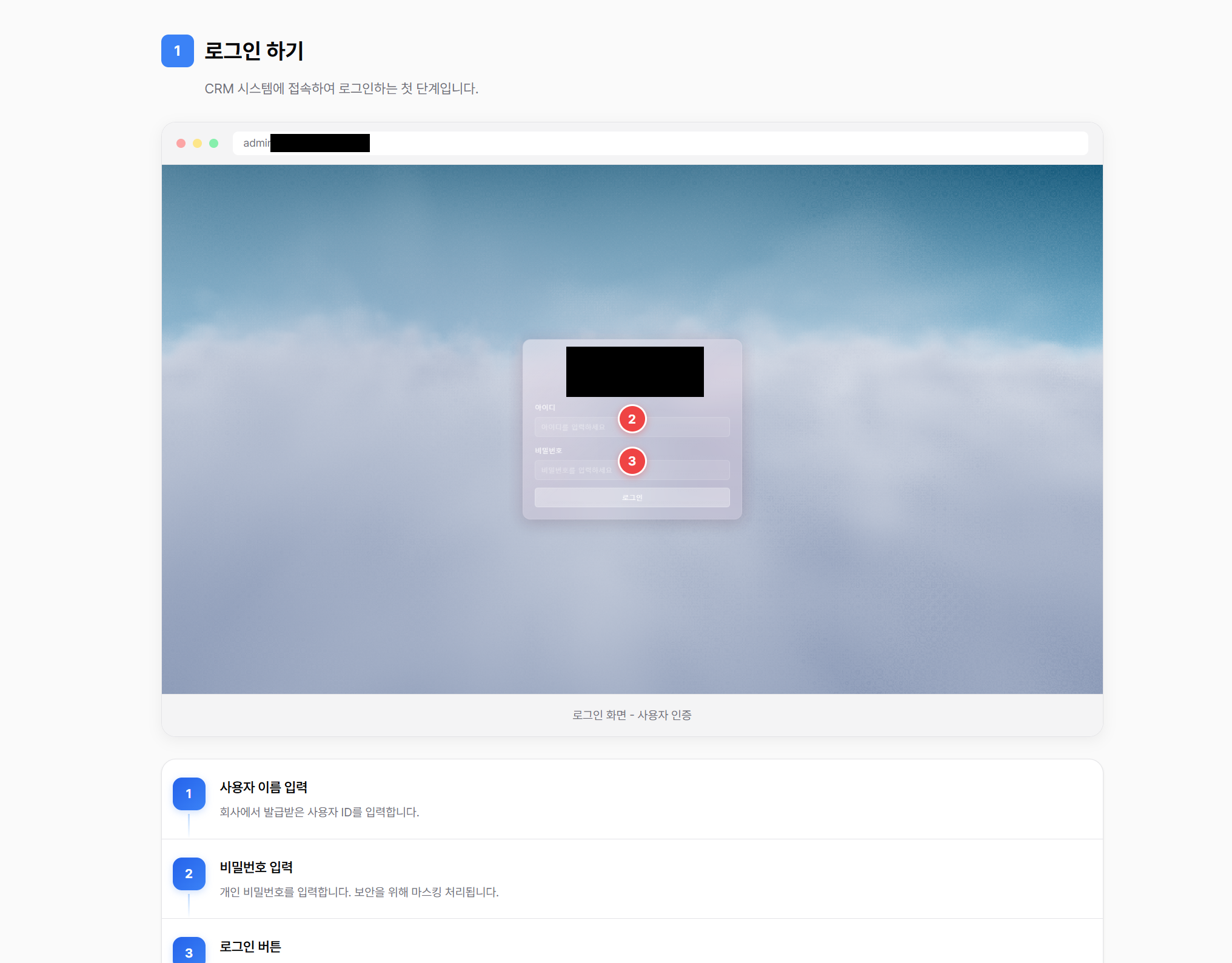
Clean card layouts, blue numbered badges, and well-organized step-by-step descriptions. The result is deployment-ready for internal wikis or onboarding documentation.
Here's how the entire process unfolded:
[User Request: Create CRM user manuals]
     |
     v
[Claude Code Main Agent (Opus)] — Strategy & orchestration
     |
     ├── [Sub-Agent 1] Consultant Guide (code scan → 1,662-line doc)
     ├── [Sub-Agent 2] Admin Guide (code scan → 920-line doc)
     |
     v
[Follow-up Request: Create visual guidebooks too]
     |
     ├── Phase 1: Playwright auto-screenshots + Haiku image analysis
     |
     ├── [Sonnet Sub-Agent 1] Consultant Visual Guide HTML
     ├── [Sonnet Sub-Agent 2] Admin Visual Guide HTML
     ├── [Sonnet Sub-Agent 3] System Visual Guide HTML
     |
     v
[shadcn UI design enhancement]
     |
     v
[Complete] Total time: ~20 minutes
| Metric | Result |
|---|---|
| Consultant Operations Guide | 1,662 lines of markdown |
| Admin Onboarding Guide | 920 lines of markdown |
| Visual Guide HTML Files | 3 (Consultant / Admin / System) |
| Total Time | ~20 minutes |
| Estimated Manual Effort | 2+ days |
| Models Used | Haiku (screenshot analysis), Sonnet (writing + frontend code), Opus (orchestration) |
A: You need a Claude Code CLI environment. Sub-agents are managed automatically by Claude Code — it analyzes complex tasks and spawns parallel agents as needed. For Playwright-based screenshot features, you'll also need Node.js and Playwright installed.
A: Because it reads and analyzes the actual code, functional descriptions are highly accurate. For business context or internal terminology, defining them in a CLAUDE.md file improves results. Human review of the final output is still recommended.
A: Yes, the CRM must be running locally or on a staging environment for Playwright to capture screenshots. Claude Code automatically detects the URL and navigates through each page to take screenshots.
Claude Code sub-agents go beyond simple speed improvements — they automate tedious, repetitive documentation tasks at a professional level. Because they read and understand the actual codebase before generating content, documentation stays perfectly aligned with the code.
Completing a 2-day task in 20 minutes while accurately placing visual markers on screenshots demonstrates the true potential of AI code automation. Whether it's a CRM or any other codebase, try handing your documentation work to Claude Code sub-agents and see the results for yourself.